Designing a Community Health Pop-Up Using MAIKONG Analyzers · body
Quick answer
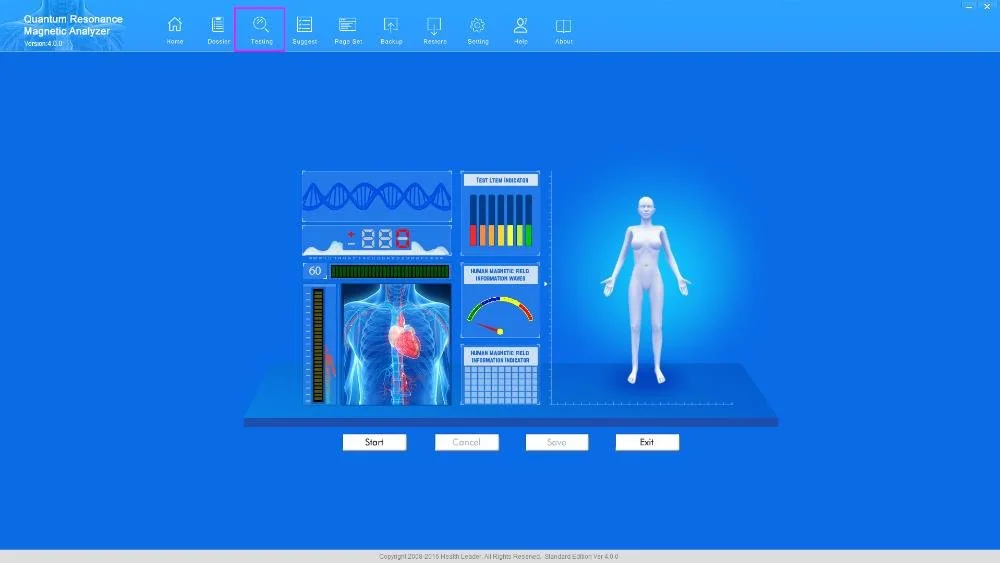
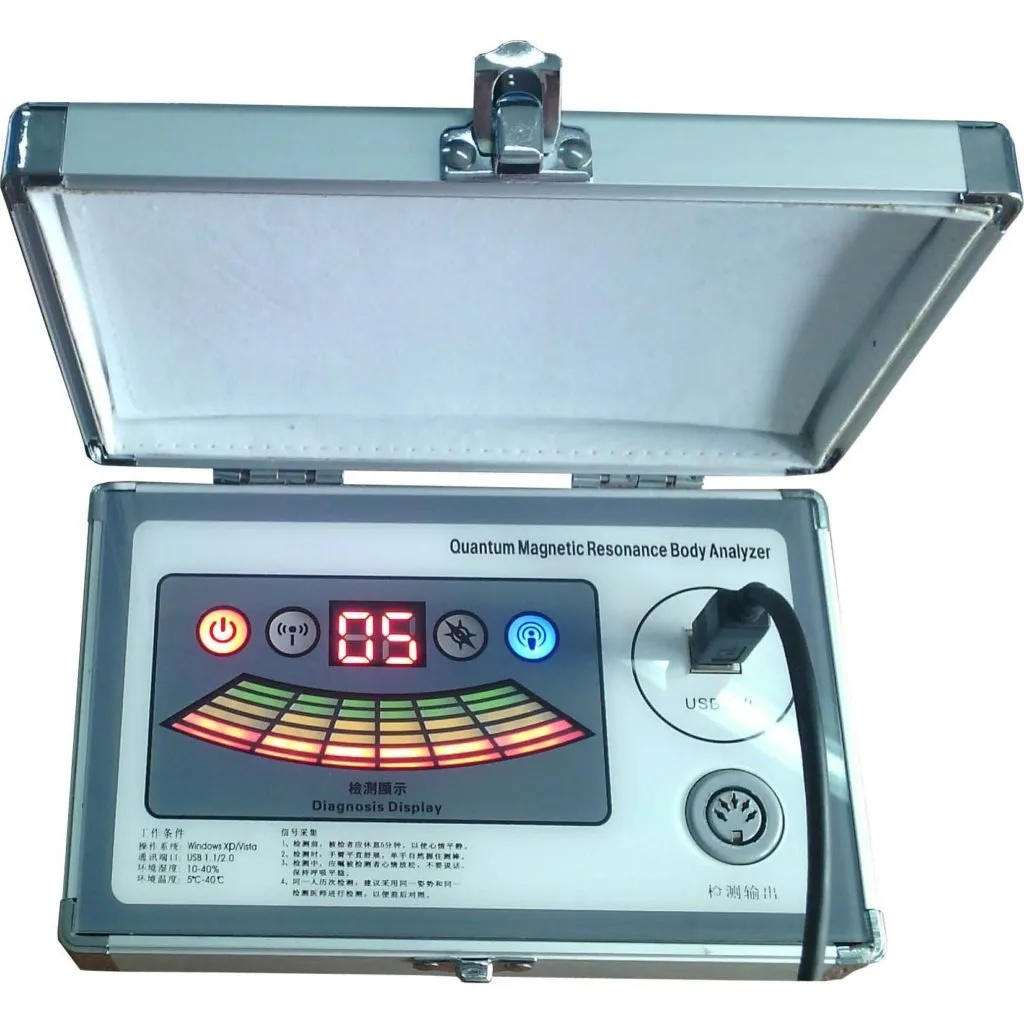
Yes — a well‑run one‑day community screening pop‑up is feasible with a MAIKONG MK001 when you set realistic objectives, bring a minimal laptop‑based workstation, staff clear roles (intake, operator, advisor, logistics), and plan for local constraints such as power reliability, site permissions and language. The MK001 (Quantum Analyzer) supplies the device hardware plus Quantum Analyzer Software (2026) for Windows systems; for quotes and configuration options contact lucy@quantumanalyzer.ng or +8613510907401.
Contents
Direct answer: Can a mobile team run a safe, useful community health pop‑up with MAIKONG devices in Nigeria?
Yes — provided the event is designed as a screening and health‑education activity, not a substitute for clinical diagnosis or treatment. For an effective single‑day pop‑up you must decide the screening objective up front, limit the scope of what you report to attendees, and follow a compact workflow that includes informed consent, a controlled scan process, a short personalised explanation of findings, and clear, tangible next steps (referral, follow‑up appointment, printed summary or SMS link).
We emphasise that the MK001 is a screening tool. Use it to raise awareness, identify people who need further assessment, and capture leads for follow‑up care — not to issue medical diagnoses or prescribe treatment on site.
What a MAIKONG Quantum Analyzer (MK001) provides for a pop‑up — practical facts to rely on
Field
Value
Model
Quantum Analyzer MK001
Software
Quantum Analyzer Software, version 2026
Supported systems
Window xp/7/8/10/11
Commercial
Price range USD 100–500; MOQ 1; Lead time 2-3Days; Warranty 1 Year
These are the core product facts you should plan around. The MK001 is delivered as a device plus software; a Windows laptop is required for the operator station. Pricing and final configuration are available on inquiry — contact details are at the end of this article.
Decide your objective first: screening goals that match a pop‑up
Be precise: pick one or two screening aims (for example, general wellness checks and cardiovascular risk awareness, or chronic condition screening follow‑ups). A too‑broad promise reduces credibility and slows throughput.
Define non‑medical outcomes: lead capture for clinic follow‑up, referrals to local primary care, health‑education takeaways, or enrolment for a longitudinal monitoring programme.
Audience matters: target settings (market, church, workplace, school) determine language needs, typical attendance and permissions required.
Limit on‑site actions: since the MK001 is a screening instrument, plan to provide informational results, not prescriptions. Have clear referral pathways to clinicians for any abnormal or concerning findings.
Minimum on‑site setup checklist for a one‑day pop‑up
Designing a Community Health Pop-Up Using MAIKONG Analyzers · body
Space: sheltered area, one table for equipment, one chair for the participant and one chair for an advisor. Aim for 2.5–3 m clear flow between intake and exit.
Power: 1–2 grounded AC outlets for laptop/printer and device; bring a UPS or power bank that can run the laptop for several hours if grid reliability is uncertain.
Table/chair: stable surface for the device and laptop so the handrest/probe (if used) is steady.
Laptop: Windows system compatible with Quantum Analyzer Software (Windows xp/7/8/10/11); ensure the laptop meets the software’s minimum requirements and has working USB ports and updated drivers.
Privacy: a single‑person screen or partition to permit private conversations and data entry; printed consent forms with translations as needed.
Hygiene and ID: disposable probe covers, hand sanitizer, operator ID badge and participant stickers for simple queue control.
Staffing and simple roles for a one‑day pop‑up
Keep the team compact. For a single MK001 station we recommend four functional roles that can be combined depending on team size and volunteer training.
Intake/greeter — explains the event purpose, checks eligibility, completes consent form and captures contact details (phone/SMS permission). Also manages queue and provides briefing on what the scan can and cannot show.
Operator — trained on the MK001 workstation and software. Responsible for running the scan, saving reports, and flagging any immediate technical issues. Does not provide medical diagnoses.
Advisor/educator — a nurse or health educator who reads the screening summary, gives plain‑language interpretation, and makes referrals. This person should have pre‑prepared local clinic contacts and printed referral slips.
Logistics/support — handles printer, supplies, crowd control, and escalation (security, power swap). Also responsible for data backup at the end of the day.
Step‑by‑step pop‑up workflow you can run in 20–30 minutes per person
Pre‑check and intake (5 minutes): confirm participant identity, collect contact details, record basic vitals if relevant, obtain written consent and language preference.
Explanation (2–3 minutes): brief description of the scan as a screening tool, what the participant will receive (printed or digital summary), and the next steps if results suggest further evaluation.
Scan (5–10 minutes): operator runs MK001 using the laptop station and software; keep the device and handrest stable and follow the device prompts. Save the report file and a short summary for the advisor.
Result walk‑through (5–10 minutes): advisor gives a plain‑language summary, highlights any priority concerns and issues a referral or follow‑up plan if needed. Capture permission for SMS follow‑up if desired.
Exit and data handling (1–2 minutes): provide printed summary, collect feedback, and direct participant to referral desk or health education materials.
These timing bands reflect a compact screening workflow for a single participant. If you plan combined activities (BP, glucose, immunisations), allow more time or add parallel stations.
Reporting and data handling at a pop‑up: outputs and privacy
Collect three essential outputs per participant: contact details and consent record, the device report file (saved under a unique ID), and a short human‑readable summary given to the participant. If you print reports on site, use a secure printer and shred duplicate records at the end of the day if required by your data policy.
Basic privacy notes: store personal data encrypted on the laptop, limit access to named team members, and only retain identifiable records with explicit consent. If you plan SMS follow‑up, get explicit consent and record the message opt‑in status.
When to use a fast express station vs a full consult station — planning throughput
Design your physical layout for the mix of needs. An express station focuses on a short scan plus automated one‑page summary and is best when you need high throughput. A full consult station pairs the scan with a 10‑minute advisor discussion for participants who want explanation or clinical referral.
Operational trade‑offs: express stations increase throughput but reduce personalised counselling; full consults improve value for individuals but reduce the number of people served per day. Match the mix to your event goal — awareness campaigns favour more express stations; targeted chronic‑care outreach needs more full consults.
Simple risk, scope and messaging checklist to avoid medical claims
Script your intake language: say “screening/health‑management information” rather than “diagnosis”.
Provide a visible disclaimer at the registration desk and on the printed summary: the scan is for health management and educational reference only and does not replace a clinician’s assessment.
Train advisors to avoid prescribing treatments and to direct participants with worrying results to qualified clinicians or emergency services when indicated.
Supplies, peripherals and soft costs to include in planning
Printer with paper and ink; spare USB cables and a USB flash drive for daily backups.
Spare laptop (or a second laptop if running multiple stations) and the Windows‑compatible drivers for Quantum Analyzer Software (2026).
UPS or high‑capacity power bank, extension cords and multi‑plug adapters, disposable probe covers and hand sanitizer.
Printed consent forms and translated participant information sheets for local languages.
Transportation, venue fees, local permissions and modest refreshments for staff — budget these as soft costs.
Local practical constraints in Nigeria to plan for
Permissions: secure site approval from market management, church leaders or local authorities well in advance and provide a short event brief that explains the non‑clinical nature of the screening.
Power reliability: plan for interruptions with a UPS or portable inverter. Test the equipment on site before starting services.
Crowd management: use clear signage, queue lines and volunteers to avoid overcrowding. Expect peak attendance at mid‑day; schedule staff breaks and a buffer for late arrivals.
Language and cultural needs: bring translated materials and a local interpreter where required. We offer multilingual support across 30+ languages, including local Nigerian dialects (company self‑reported).
Basic troubleshooting and preventive checks for the MK001 during a pop‑up
Software start: verify the Quantum Analyzer Software (2026) launches and recognises the device before you open to the public; check that the laptop’s Windows build is compatible.
Connection checks: confirm USB or connection cables are secure and spare cables are available.
Probe/handrest: ensure any handrests or probe fixtures are clean and stable; keep disposable covers available.
Data backup: save each report under a unique ID and copy to an external drive at break intervals to prevent data loss.
Evidence
Product facts used in this article come from MAIKONG’s supplied product snapshot for the Quantum Analyzer MK001 (data-fact-id=”118″): model MK001, Quantum Analyzer Software version 2026, supported systems listed as Window xp/7/8/10/11, and commercial terms (price range USD 100–500; MOQ 1; lead time 2‑3Days; warranty 1 Year). We also rely on MAIKONG’s company contact and web presence for quoting and support pathways. These are company‑supplied details and are presented here to support logistical and planning decisions for Nigerian mobile teams.
Limitations and risks
Do not treat results from the MK001 as clinical diagnoses. Our guidance focuses on operational design: consent, data handling, staffing and referral. We have not presented clinical accuracy data beyond the supplier snapshot; MAIKONG product claims remain company‑reported and are not independent proof of diagnostic accuracy. We also note a gap in country‑specific electrical and installation guidance in the supplied materials — teams should check local electrical safety rules and test equipment under venue conditions before the public event.
Practical next step
Disclaimer: Our scans and reports are provided for health management and educational reference only; they do not replace professional medical diagnosis, treatment or emergency care.
This content is provided for learning, information sharing and professional communication only. It is not medical advice and is not a basis for treatment or diagnosis. Confirm suitability, operation and purchasing requirements against the product manual, local regulations and qualified professional guidance.
If you want a tailored pop‑up configuration, sample checklist for a particular venue in Lagos or Ogun State, or a formal quote for an MK001 workstation (including optional spare laptop and UPS), contact our sales team at lucy@quantumanalyzer.ng or +8613510907401. Tell us the expected daily attendance, venue type and whether you need translated consent materials — we will prepare a configuration and cost estimate.