Practical guide: Installing a MAIKONG MK001 Quantum Analyzer in a mobile screening van for outreach in Nigeria · body
Quick answer
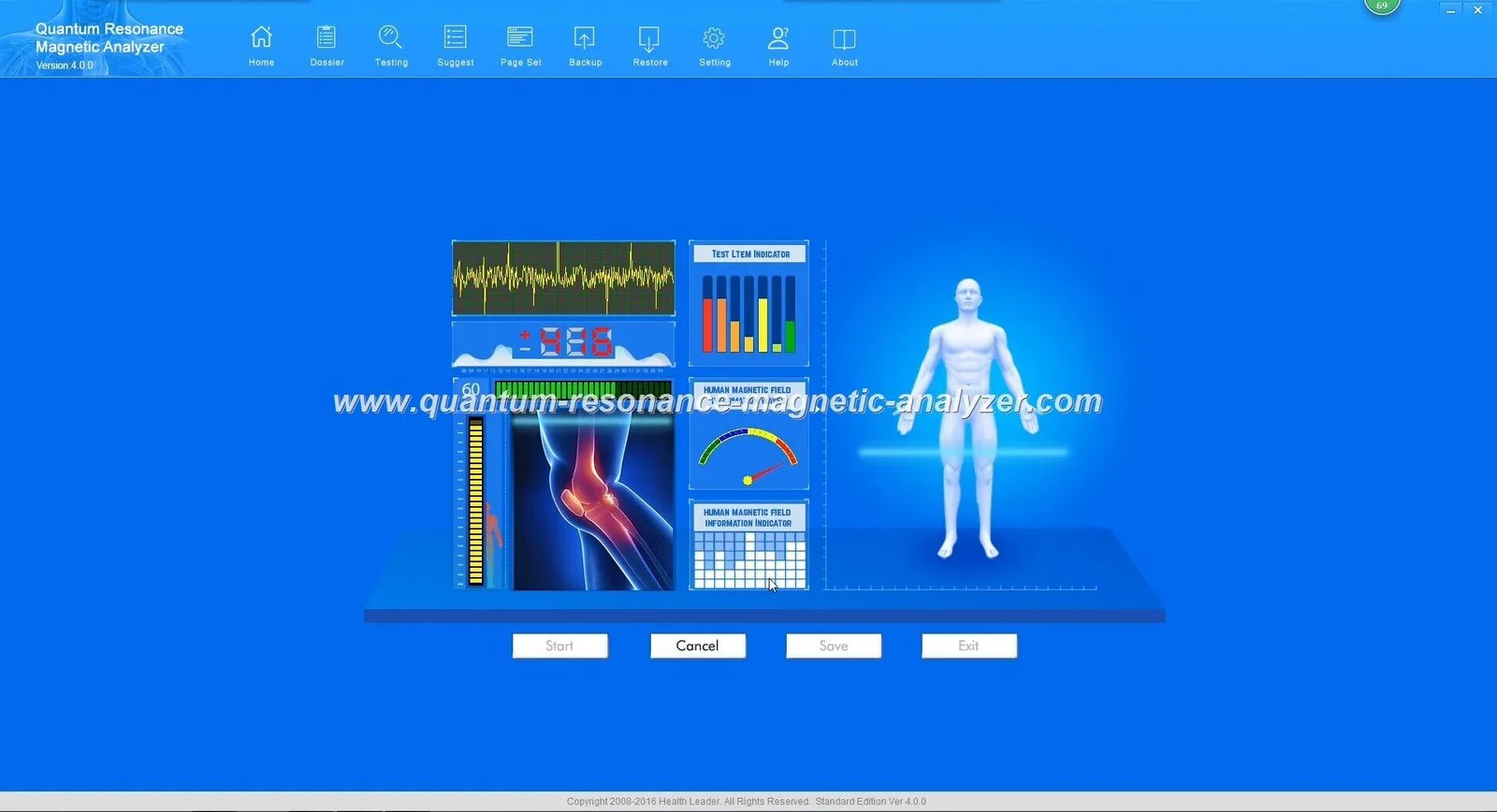
Yes — you can operate the MAIKONG Quantum Analyzer MK001 (data-fact-id=”118″) from a properly equipped mobile screening van. The immediate priorities are: secure physical mounting and vibration isolation; a stable 230 V AC supply or adequately sized inverter/UPS that provides clean sine-wave power; a Windows PC running Quantum Analyzer Software 2026; local data storage with secure sync back to base; and on-van SOPs covering device security, client consent and daily checks. Start by confirming the MK001 arrives with Quantum Analyzer Software 2026 and plan a simple power and mounting test before your first outreach shift.
Contents
Direct answer — can you run a MAIKONG MK001 in a mobile screening van and what immediate steps to take?
Short answer: yes, provided you prepare the vehicle and workflow. The MK001 (data-fact-id=”118″) requires a stable Windows host running Quantum Analyzer Software 2026 and reliable mains-equivalent power. Before the first field session we recommend these immediate steps:
Verify you have the MK001 unit and the official Quantum Analyzer Software 2026 installed on a supported Windows PC (supported systems: Windows XP/7/8/10/11 — ensure the specific PC build is compatible).
Fit the device on a rigid, low-vibration surface inside the van and secure all cables so they cannot snag while the vehicle moves.
Confirm the van’s power arrangement: either shore power (mains) with surge protection or an inverter/UPS sized to the MK001 + PC + printer load.
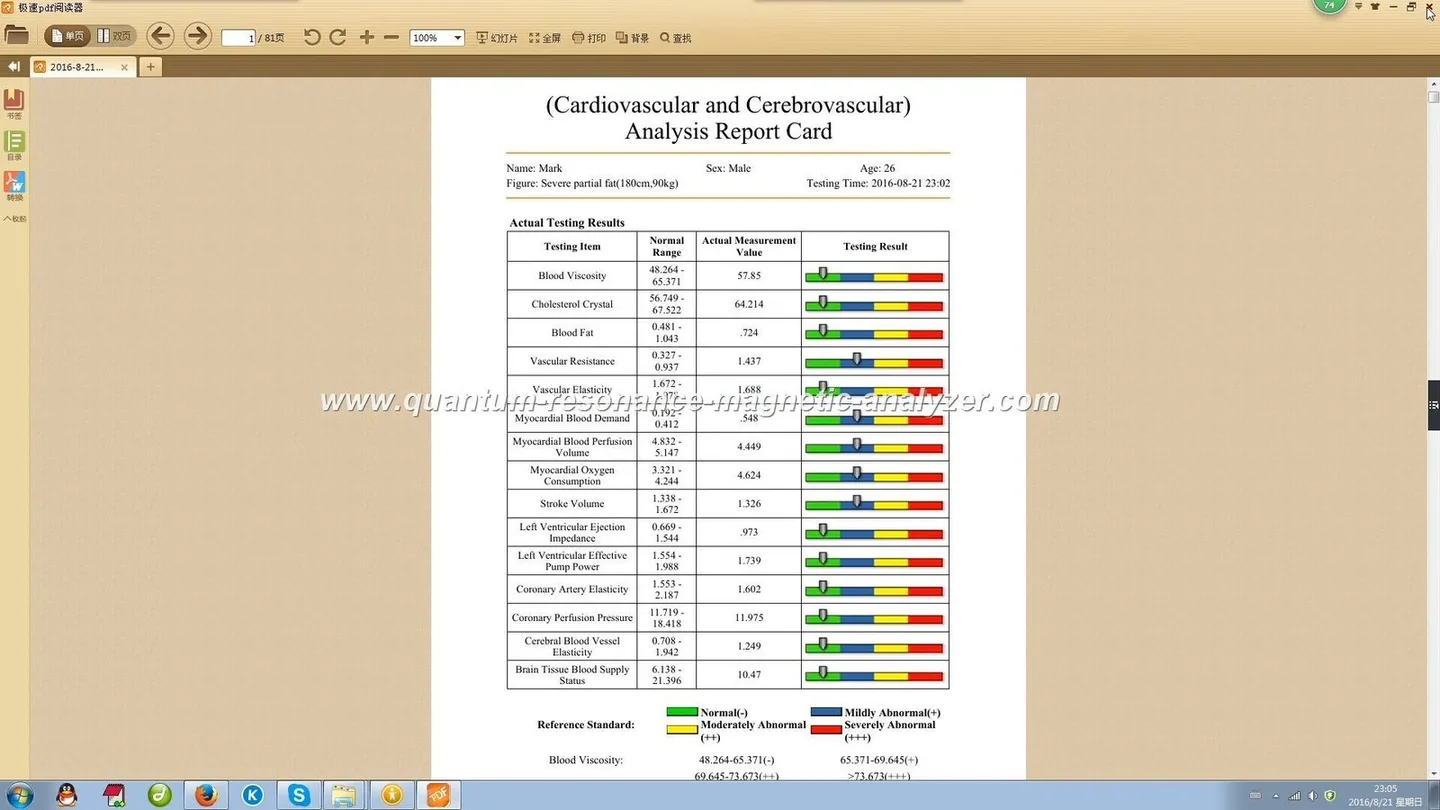
Run a test session with a colleague to check software start-up, data saving on local storage, and printing or PDF export of a report.
Create a short on-van SOP for consent, session steps and device shut-down; store SOP and backups offline in the van.
Quick checklist (one-page): essential hardware, software and vehicle requirements for MK001 mobile use
Primary screening device; match software version to the unit
Software & PC
Quantum Analyzer Software 2026 on a Windows PC (XP/7/8/10/11 supported)
Software controls device, captures client data and generates reports
Power
230 V AC mains where available; otherwise pure-sine inverter + battery bank + UPS sized to runtime
Protects electronics from brownouts/surges and prevents data loss during scans
Mounting
Rigid bench or fixed shelf with anti-vibration pads and cable clips
Reduces measurement issues from movement and protects connectors
Data backup
Local SSD for session storage + USB encrypted backup; optional mobile router for sync
Ensures offline operation and secure synchronisation after outreach
Accessories
Printer or PDF workflow, spare laptop, UPS, surge protector, fastening hardware
Supports client handover and continuity if a component fails
Vehicle power and electrical setup
Practical guide: Installing a MAIKONG MK001 Quantum Analyzer in a mobile screening van for outreach in Nigeria · body
Most Nigerian vans used for outreach have variable electrical quality when tied to shore power. For the MK001, we recommend one of two practical approaches:
Shore-first approach: park where 230 V AC mains are present and use an inline surge protector and an industrial UPS between mains and the MK001/PC. The UPS prevents data loss if the mains drops out during a session.
Battery-first approach: run the MK001 and laptop from a DC battery bank and a pure-sine inverter sized to the total running wattage of the MK001, PC and printer. Use a UPS on the AC side to smooth transients. Avoid cheap modified-sine inverters; they can cause unpredictable behaviour with sensitive instrumentation.
Sizing tip: do not guess. List the labelled power draw of the MK001 and all attached equipment, then allow a 30–50% safety margin when selecting inverter and UPS capacity. If you need assistance we can advise on typical loads based on your accessory list.
Physical mounting and workspace layout
Space in a van is limited — keep the MK001 accessible to the operator, comfortable for the client, and isolated from major vibration sources (engines, doors). Practical layout guidelines:
Mount the MK001 on a small fixed bench at seated height, close to the operator’s chair so cables remain short and tidy.
Use rubber anti-vibration pads under the analyser and lockable cable clamps for all connectors.
Plan a clear client flow: entry → consent chair → device station → waiting/printing area. Avoid routing foot traffic behind the operator.
Carry a lightweight foldable chair and a non-slip mat; these small items improve client comfort and reduce movement during scans.
Computer and software requirements
The MK001 works with Quantum Analyzer Software 2026. Confirm the Windows version on your laptop or desktop matches one of the supported systems (Windows XP/7/8/10/11 are listed). Important points:
Keep the software installer from an official source; do not use unverified copies. If you cannot find the installer, contact our support for the official package.
Use a laptop with an SSD and at least one spare USB port for backups and peripherals; a small portable printer can be useful for immediate report handover.
Disable automatic OS updates during outreach shifts to avoid restarts mid-day; schedule updates for base or off-hours.
Network, data capture and offline operation
Field work must assume intermittent or absent internet. Design the data workflow accordingly:
Primary storage: save every session to a local SSD on the PC. Keep an encrypted USB backup after each outreach day.
Synchronization: where mobile data is available use a secure connection or a mobile router to upload reports to your server. Otherwise queue uploads until you return to base.
Paperless handover: generate a PDF report for clients and email or print it. If printing in the van isn’t feasible, give the client a PDF via email or WhatsApp (with consent).
Client flow for mobile screening teams
We recommend a tight, repeatable flow to maximise throughput and protect data:
Arrival and set-up: power on UPS → PC → MK001 → software. Confirm local storage and timestamp settings.
Registration and consent: collect minimal demographic details, confirm data storage and consent method (signed on paper or digital checkbox).
Scan session: seat client, explain the non-invasive nature of the test, and run the MK001 assessment. Keep movements to a minimum during scanning.
Report generation: review the report on-screen, save a local copy, then print or export PDF for client handover.
End-of-day: run backups, remove patient identifiers from temporary files where required, and secure the device for transport.
Data protection and encryption lock
Protect client data while stored on the van:
Use Windows full-disk encryption on the laptop (BitLocker or an equivalent) and password-protected user accounts.
Enable software-level encryption or licence lock if provided by Quantum Analyzer Software 2026.
Keep paper consent forms in a locked box and remove unnecessary patient identifiers from exported summaries.
Maintain a short access log for who used the device and when; this helps audits and incident follow-up.
Supplier-provided product facts used in this guide
We used the MAIKONG product entry for the Quantum Analyzer MK001 (data-fact-id=”118″) and the software naming Quantum Analyzer Software 2026 as the basis for compatibility and software notes. Commercial details attached to that entry: MOQ 1, lead time 2–3Days and warranty 1 Year. For device-specific installation instructions consult the MK001 manual supplied with your unit or request it from sales.
Transport, handling and routine checks
Protect the MK001 during transit:
Transport in a padded case or fastened to a shelf; avoid laying the device on its side if the manual advises otherwise.
Use corner protectors and foam inserts for any removable probes or accessories.
Pre-departure checklist (keep laminated in the van): power cable, data cable, laptop, software login, backup USB, printer, UPS charged, spare fuses/cables.
Consumables, accessories and optional extras to carry
Spare laptop with a known-working software install, 1–2 USB backup drives (encrypted), portable printer and paper, surge protector, small tool kit, cable ties and extra chairs.
Carrying a compact UPS that accepts vehicle charging is often the simplest way to avoid unexpected shutdowns.
Maintenance and cleaning on the road
Daily care is light but consistent: wipe the unit with a lint-free cloth and approved surface cleaner recommended in the MK001 manual; avoid liquids entering connectors. Keep software updated at base before outreach; do not install updates mid-campaign without testing. Log any faults and contact our support if the device behaves irregularly.
Training and team roles
Assign clear roles: an operator responsible for the MK001 and software, a registrar for consent and data capture, and a logistics person for power and transport. We provide operator training materials; ensure every new operator completes a short competency check documenting start-up, backup and shutdown procedures before independent outreach.
Limitations and risks
Specific country-level electrical installation guidance and vehicle wiring requirements are not included here; consult a qualified electrician for permanent van wiring. Also, while we reference MAIKONG’s supplied model and software names, operational performance can vary with vehicle environment, PC model and power solution. This guide does not replace the MK001 user manual or professional electrical advice.
On-van quick-start: daily startup and shutdown checklist
Startup: check UPS charge → connect power → switch on PC → launch Quantum Analyzer Software 2026 → verify device connection → test one sample session.
Shutdown: save and backup all session files to encrypted USB → close software → power down MK001 → switch off UPS → secure device.
If you want a tailored van configuration or help specifying battery/inverter sizing for the MK001 and your accessory list, contact our sales team for a quotation and configuration checklist. Pricing is available on inquiry; typical lead time is 2–3Days and warranty 1 Year for the MK001 (data-fact-id=”118″).
Contact for a quote or technical questions: lucy@quantumanalyzer.ng • +8613510907401
Local disclaimer: This information is for operational and health-management planning only. The MAIKONG Quantum Analyzer is a screening tool; it does not replace professional medical diagnosis or treatment. For clinical interpretation consult a qualified healthcare professional and follow the MK001 user manual for device-specific instructions.
This content is provided for learning, information sharing and professional communication only. It is not medical advice and is not a basis for treatment or diagnosis. Confirm suitability, operation and purchasing requirements against the product manual, local regulations and qualified professional guidance.