
Categories
- FQA (215)
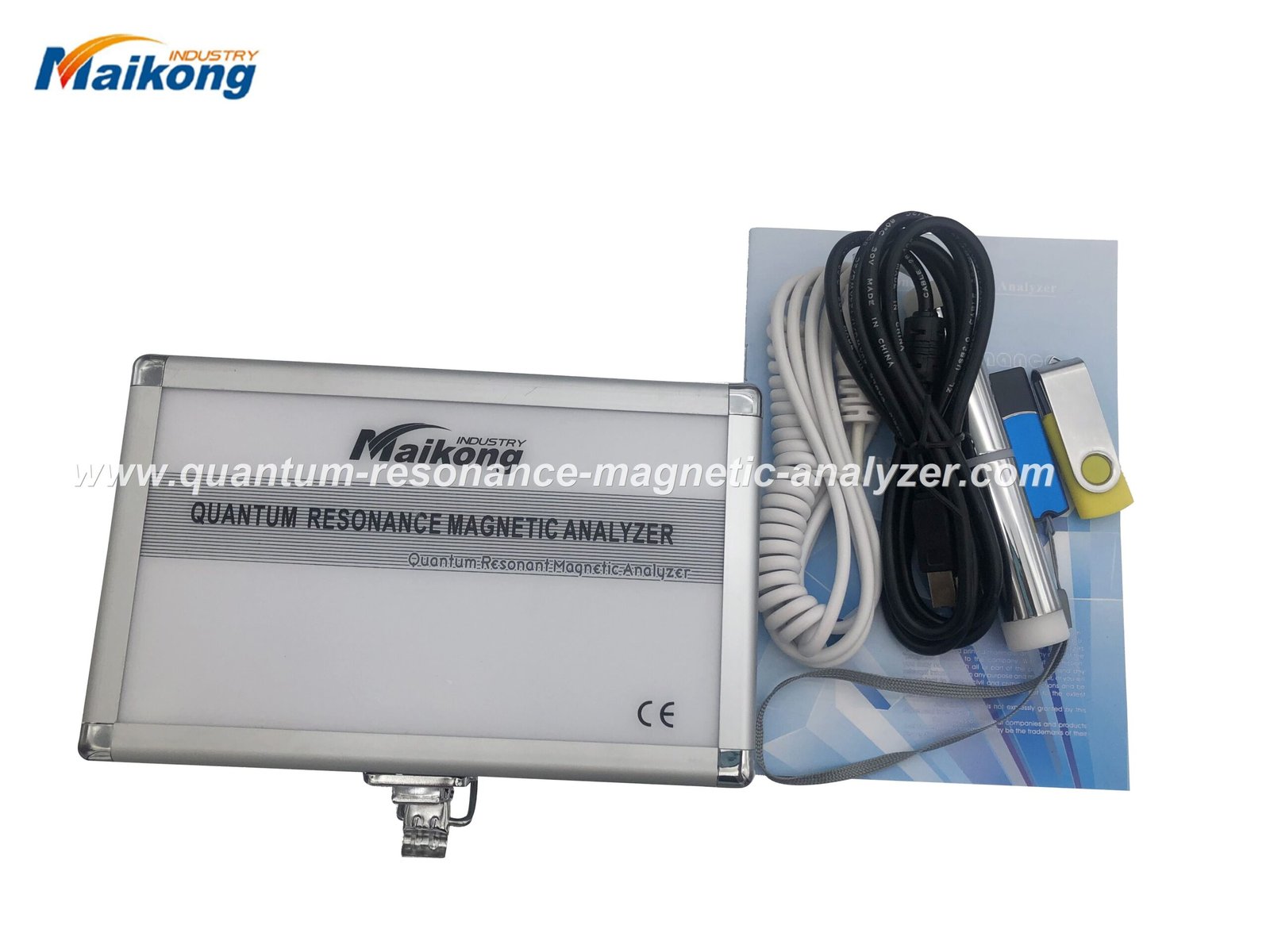
We explain precisely how to use quantum resonance magnetic analyzer equipment in a clinic or corporate-wellness setting: required prechecks (power, software, client preparation), step-by-step measurement workflow, and what buyers must verify before purchase (software, components, documentation, delivery). Read the procedural checklist and common misuses to avoid inaccurate readings and regulatory trouble.
To answer how to use quantum resonance magnetic analyzer: prepare a compliant room and device (power, software installed), register the client, attach electrodes/sensor per vendor workflow, run the measurement software and save the raw report. Verify software version, supported OS, hardware components, and documentation ahead of first use to avoid misconfiguration and data loss.
We wrote this for medical equipment dealers and corporate-wellness managers in Nigeria who must implement and supervise on-site use of Amway/quantum resonance magnetic analyzers. Your immediate task is operational: get reliable readings, train staff, and verify the device and software so you aren’t left with unusable reports or unsupported equipment.
We sell the Quantum Analyzer product line and provide supporting software identified as “Quantum Analyzer Software” (softwareVersion 2026) that runs on a range of Windows systems. Prospective buyers should treat the device as a screening tool for wellness programmes, not as a medical diagnostic replacement.
From our product record: the product line includes the Quantum Analyzer and ships with Quantum Analyzer Software (softwareVersion 2026) supporting Windows XP/7/8/10/11. Lead time and warranty details are published with sale terms. Always confirm the shipped software version and that your PC meets the vendor-supported OS before purchase.
| Verification item | What to check | Minimum acceptance |
|---|---|---|
| Software version | Match vendor-stated version and confirm update policy | Version listed by vendor; upgrade path documented |
| Supported OS | Confirm compatibility with your clinic PC (Windows XP–11 listed by vendor) | Software runs on your chosen OS without emulation |
| Components in box | Sensor probe, cables, power supply, software media and manual | All items verified against packing list |
When evaluating a supplier or model for corporate-wellness use, verify:
Here is a compact decision matrix you can use when choosing between suppliers or different models within this product family. This is not a technical spec table; it shows practical decision factors.
| Factor | Why it matters | Buyer action |
|---|---|---|
| Local support | Reduces downtime and simplifies staff training | Prefer suppliers with Nigerian-based support or clear remote SLA |
| Software updates | Fixes bugs and improves compatibility | Request written update schedule and free/paid policy |
| Documentation quality | Operator errors often come from poor manuals | Inspect the SOP and operator guide before purchase |
Inspect every physical item against the packing list. Components that often lead to downtime if missing: sensor probes, dedicated interface box or USB dongle, power adapter, and the installation media or download link for software. Ask the vendor for spare-parts pricing and expected delivery time for common wear items.
For corporate-wellness providers in Nigeria, common uses include baseline wellness screening for employees, periodic follow-up scans, and health-promotion programme monitoring. Use the device as a screening and education tool: combine results with a lifestyle questionnaire and professional follow-up for any concerning findings.
We recommend integrating the measurement workflow into a single-session template: consent → baseline questionnaire → measurement → brief counselling and printed report. That reduces operator error and improves client satisfaction.
Company product record used in this article:
Product line: Quantum Analyzer. Software: Quantum Analyzer Software (2026). Supported OS: Windows XP/7/8/10/11. Lead time and warranty are published with purchase terms on our site.
Prepare a stable power supply and supported PC, install the vendor software and confirm its version, have a written consent form, and ensure the client removes metal and rests for a few minutes. Run a device self-check and one staff test before the first client session. Keep a simple checklist at the workstation.
Most errors come from sensor misplacement, skipped software setup, or failing to save/export data. Avoid these by training operators on a single standard workflow, using a printed SOP, and requiring a supervisor sign-off for the first 10 live scans. Back up files immediately and keep spare sensors.
Yes. Confirm that any marketing claims do not assert medical diagnosis or clinical curative effects. Ask the supplier for documentation of manufacturing standards and any certifications they claim; treat marketing statements about accuracy or clinical equivalence with caution and seek independent verification where needed.
If you want a formal quotation, on-site demonstration or training for corporate-wellness deployment in Nigeria, contact our sales team. We will confirm available stock, software version and delivery options for your region.
Contact us: https://quantumanalyzer.ng/ • Email: lucy@quantumanalyzer.ng • Phone/WhatsApp: +8613510907401
Request one quotation per site so we can confirm software language packs and on-site support options.
MAIKONG Industry Co.,Ltd — Nigeria-based supplier. Article last updated: 2026-08-29.
Disclaimer: This article is for wellness-management and procurement guidance only. The device is not a substitute for professional medical diagnosis or treatment.
This content is provided for learning, information sharing and professional communication only. It is not medical advice and is not a basis for treatment or diagnosis. Confirm suitability, operation and purchasing requirements against the product manual, local regulations and qualified professional guidance.
