Practical Preventive Maintenance Plan for the MAIKONG MK001 in Nigerian Private Clinics · body
Quick answer
For steady clinic use of the MAIKONG MK001 we recommend: daily operator checks (power, probe/handrest, software start), weekly surface cleaning and sensor inspection, monthly software backup and self-test scans, quarterly cable/USB and PC performance checks, and an annual technical inspection tied to the device’s 1‑year warranty. Keep a simple maintenance log, hold a small spare-parts kit (USB cable, handrest/probe cover, Windows-compatible PC spare), and contact MAIKONG with model and software details when escalation is needed. This plan uses MAIKONG-declared facts (MK001, Quantum Analyzer Software 2026, Windows xp/7/8/10/11 support, 1‑year warranty) so you can implement it immediately and prepare accurate service requests.
Contents
Direct answer: recommended preventive maintenance plan for MAIKONG MK001
Operate a three-layer schedule: daily operator checks to catch user and power issues; weekly cleaning and functional checks to prevent sensor contamination and software slips; monthly and quarterly technical checks to verify USB, cables and PC health; and an annual service review aligned with the MK001’s 1‑year warranty and factory guidance. Follow the device’s supported software baseline—Quantum Analyzer Software 2026 running on Windows xp/7/8/10/11—when planning updates and backups.
Why a preventive maintenance plan matters for private clinics and wellness centres in Nigeria
Private clinics cannot afford unplanned downtime. The MK001 is an office-grade analyzer used in serial patient sessions; small faults (loose USB, contaminated handrest, corrupted software files) cause long delays or unreliable reports. A short, documented routine prevents most interruptions, keeps the software current with the hardware baseline, and provides an audit trail for warranty claims and clinical recordkeeping. For clinics in Nigeria where power reliability and environmental dust vary by location, a few extra daily and weekly checks significantly reduce repair requests and lost clinic hours.
What MAIKONG declares about the MK001 and software that affects maintenance — evidence summary
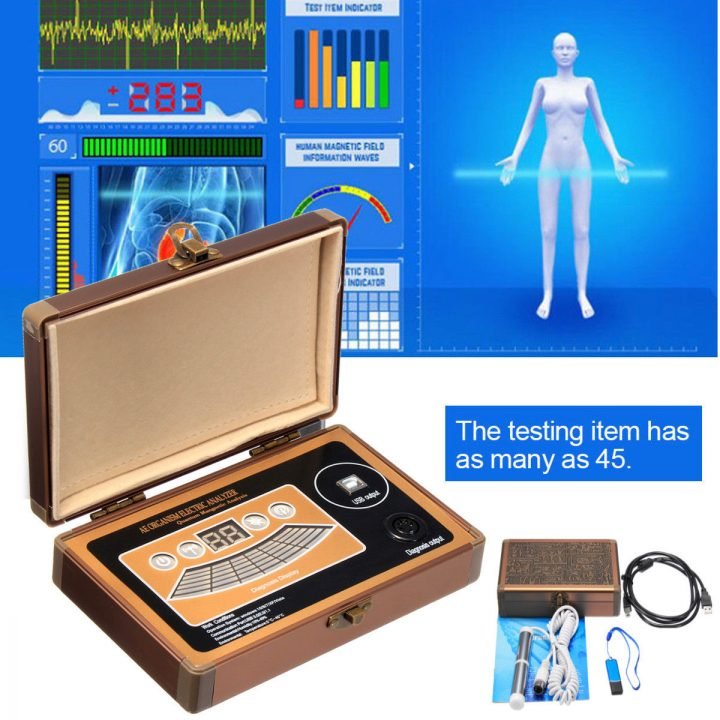
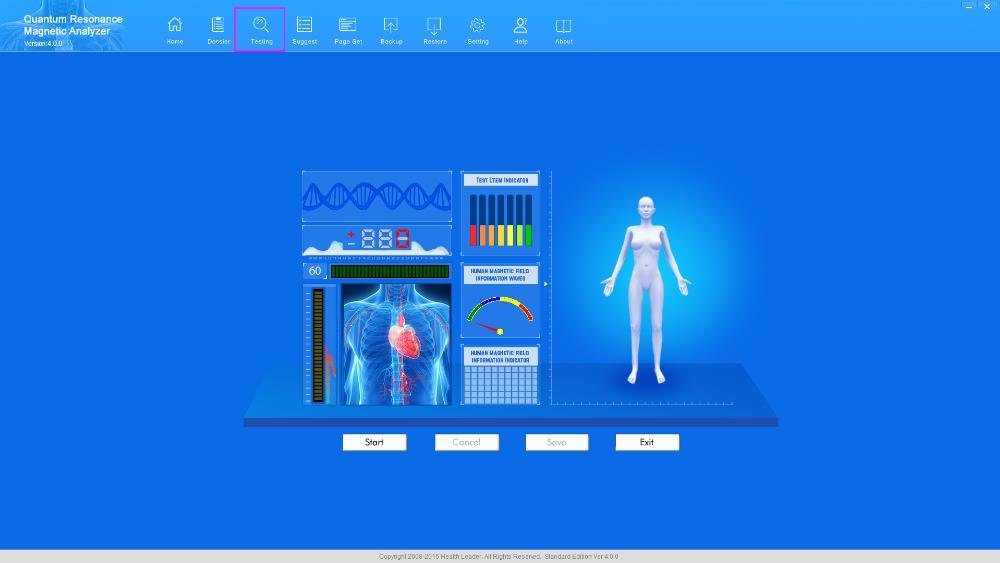
MAIKONG lists the product as Quantum Analyzer model MK001 and specifies Quantum Analyzer Software (version 2026) with support for Windows xp/7/8/10/11, and a factory 1‑year warranty. These declared items determine checklist items: you must keep a Windows-compatible PC ready, maintain a copy of the 2026 software and its report templates, and follow warranty guidance for any covered hardware faults. For software details see the MAIKONG Software page (internal reference: Quantum Resonance Magnetic Analyzer Software).
Daily operator checks before opening
Practical Preventive Maintenance Plan for the MAIKONG MK001 in Nigerian Private Clinics · body
These are quick, front-desk-friendly checks to run before patients arrive (1–3 minutes):
Power and connections: ensure the analyzer and PC boot normally; check AC adaptor, surge protector, and battery backup if used.
Physical inspection: confirm probe/handrest is clean, free of cracks, and seated correctly; check for obvious cable damage.
Software start-up: launch Quantum Analyzer Software 2026, confirm patient database loads, and preview a recent report to ensure templates render.
Ambient conditions: verify room temperature is within normal clinic range and that the analyzer is on a stable, vibration-free surface.
Weekly cleaning and functional checks
Weekly routines take 10–20 minutes and reduce drift and contamination risks:
Safe cleaning materials: use lint-free wipes and 70% isopropyl alcohol on external plastic; never spray directly into ports or onto the probe sensor. Avoid abrasives and immersion.
Surface cleaning: wipe the handrest, casing and keyboard; remove dust around ventilation slots and USB ports with a soft brush or canned air.
Sensor inspection: visually inspect the probe sensor face and its housing for deposits; if you see residue, clean gently as above and re-check software readings.
Software check: run a short report preview on a test profile to confirm report generation and printer or PDF export work.
Monthly preventive tasks
These tasks catch software corruption, data loss and gradual degradation:
Full software backup: export software settings and patient database; keep one encrypted backup offsite and one local copy.
Run self-test scans: if the MK001 software provides self-test or diagnostic routines, run them and document results in your log.
Windows updates and compatibility: review pending Windows updates on the PC and avoid untested major feature upgrades until compatibility with Quantum Analyzer Software 2026 is confirmed. Retain a system restore point before critical updates.
Check peripherals: test printer, network share and PDF export to ensure reporting functions remain uninterrupted.
Quarterly technical inspection
Every three months have a technician (in-house or contracted) perform a deeper check (30–60 minutes):
Cable integrity: inspect USB and power cables for wear; replace frayed or stiff cables.
USB ports: test each port with another known-good device to confirm stable connections and no ports are loose.
PC performance: run antivirus and disk checks; ensure free disk space and adequate memory for the 2026 software.
Calibration verification: if the MK001 has a factory calibration routine, run it or confirm calibration status with MAIKONG guidance.
Annual service and warranty considerations
The MK001 carries a 1‑year warranty per MAIKONG’s declaration. Use the annual inspection to document normal wear versus issues covered by warranty:
Warranty scope: retain purchase invoice, serial number and maintenance log to support warranty claims.
Service preparation: before sending a unit for repair, export logs, backup software and include photos of the fault. MAIKONG will need the model and software details (MK001, Quantum Analyzer Software 2026).
Post-warranty planning: after the first year, budget for routine component replacements (cables, handrest) and agree service rates with the provider or MAIKONG-authorised technician.
Software maintenance: update schedule, language packs, and Windows compatibility
Keep one stable “production” PC image that runs Quantum Analyzer Software 2026. Best practice:
Install software updates only after confirming compatibility with the existing Windows build (supported: xp/7/8/10/11).
Keep language packs consistent across machines if you serve multilingual patients; MAIKONG provides multilingual support—request specific language packs if needed via the software support page (see Quantum Resonance Magnetic Analyzer Software).
Create a rollback plan: before any software or major Windows update, create a full system backup and a restore point.
Troubleshooting checklist for common issues
Use this quick checklist before escalating to factory service:
No power: check mains, adaptor LED, and alternate wall outlet; try another surge strip or inverter. If adaptor fails, replace with the original spec unit.
Software not launching: confirm Windows user permissions, run as administrator, and check antivirus/quarantine logs for blocked files; restore from last known-good backup if needed.
Intermittent USB connection: swap USB cable, test on another USB port, and confirm the PC’s power management is not suspending USB hubs.
Unusual report errors: export the error log from Quantum Analyzer Software 2026 and include it in your service request; test report generation on a different PC if possible.
Recordkeeping: simple maintenance log template
Keep a bound book or spreadsheet. Example fields below form a minimal, searchable record for warranty and audit purposes.
Date
Item checked
Findings / Result
Action taken
Next due
Checked by
2026-10-01
Daily start-up
OK
None
2026-10-02
J. Okonkwo
How to arrange repair, spare parts or support in Nigeria — what to include in your service request
When contacting support, include these items to speed triage and quotation:
Device model and serial (MK001) and software version (Quantum Analyzer Software 2026) — this directly matches MAIKONG records and avoids ambiguity.
Clear description and photos or short video of the fault, plus recent log excerpts if the software logged an error.
Purchase invoice, maintenance log excerpts, and any steps already taken (cable swap, reboot, backup restored).
Preferred resolution: remote guidance, parts-only quotation, or ARR (arrange for collection/onsite visit).
Limitations and risks
This plan is a preventive maintenance framework based on MAIKONG-declared product details (model MK001, Quantum Analyzer Software 2026, Windows xp/7/8/10/11 support and 1‑year warranty). It does not replace the official MAIKONG service manual or a qualified technician’s on-site inspection. We do not advise modifying electrical components, altering the operating voltages of supplied adapters, or performing internal repairs without authorised training. If a specific calibration procedure or factory service protocol is absent from your documentation, request the official manual before attempting technical adjustments.
Next step: send a short service request to lucy@quantumanalyzer.ng with “MK001 maintenance plan — clinic name, city, serial number, and last three maintenance log entries” so we can quote a local maintenance configuration and spare-parts list tailored to your clinic.
Disclaimer: Information here is for health-management and operational planning only; it is not a substitute for medical diagnosis or professional technical service. Do not make clinical or electrical safety decisions solely from this article.
This content is provided for learning, information sharing and professional communication only. It is not medical advice and is not a basis for treatment or diagnosis. Confirm suitability, operation and purchasing requirements against the product manual, local regulations and qualified professional guidance.
For a service quote or spare parts request in Nigeria contact our sales/support team: lucy@quantumanalyzer.ng or call/WhatsApp +8613510907401. Include the model (MK001) and software version (2026) in the first message to get a precise response.