Yes — you can set up the Quantum Analyzer MK001 in Nigeria for demos and social‑commerce sales. Immediately check the box contents (MK001 device and Quantum Analyzer Software 2026), confirm you have a Windows PC the software supports, route a reliable local power source with surge protection, install the software and activate the licence/encryption lock, then run one demonstration scan to show the device report summary. Note: some country‑specific electrical/installation details are not provided by the manufacturer, so for fixed installs consult a local electrician before wiring or permanent mounting.
Contents
What this package includes (company‑declared facts)
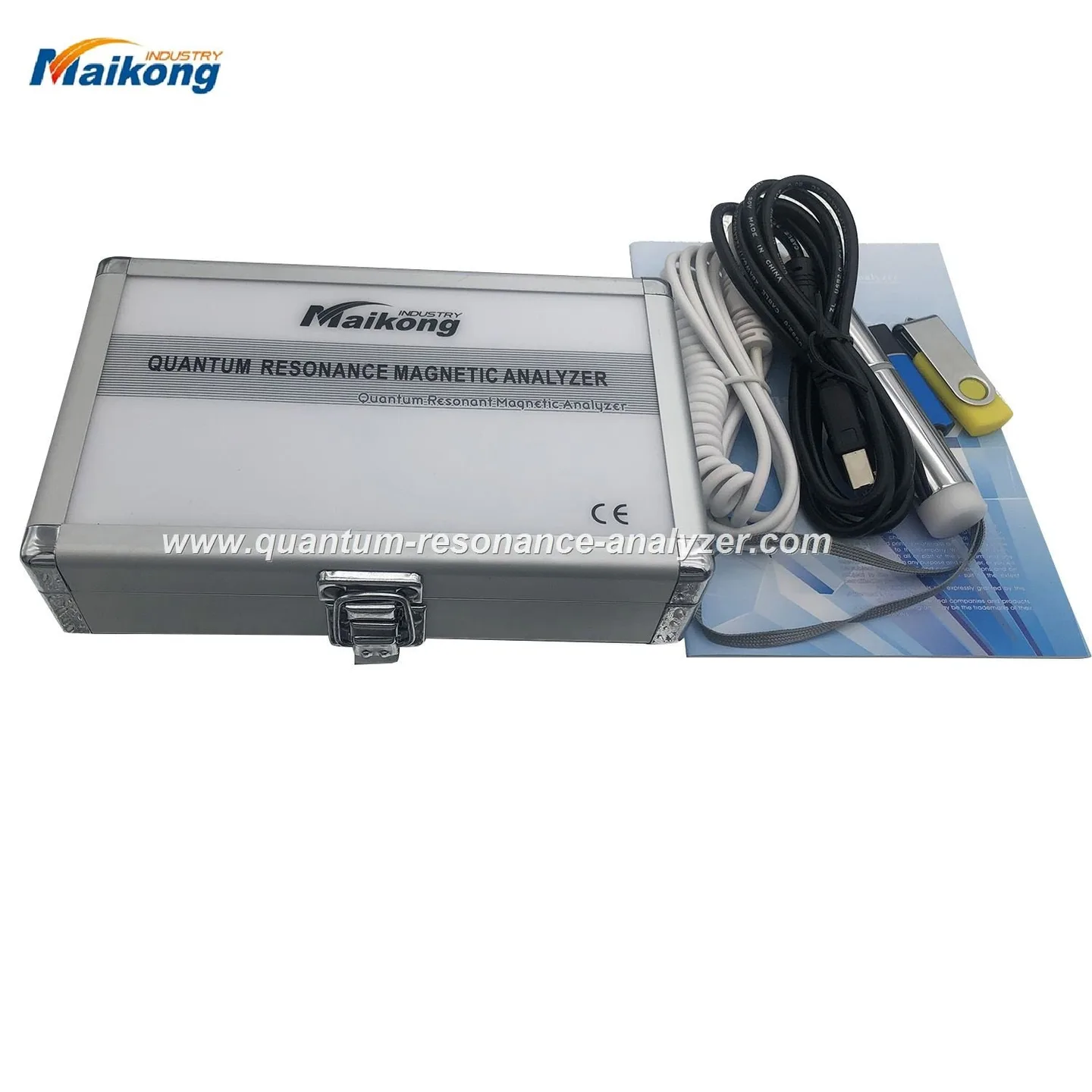
According to our product details, the MK001 is supplied together with the Quantum Analyzer Software 2026. Below are the company‑declared items and key support facts you will need when planning demos and sales pitches. These are MAIKONG’s reported details about the MK001 package; they are company assertions, not independent verifications.
For social‑commerce sellers in Nigeria — whether you demonstrate in a customer’s home, at a market stall, or during a live stream — keep the setup simple and repeatable. Before every demo confirm:
Space: a stable table or counter with about 60–80 cm of clear working area for the device and laptop.
Privacy: some prospects prefer a short private demo; have a quiet corner for 5–10 minutes of focused explanation.
Power: a nearby socket is required; because mains can be unstable, plan for a small UPS or power bank/inverter combination for outdoor stalls.
PC & internet: a laptop with the supported Windows version plus a basic internet link for licence activation or software updates (mobile hotspot usually works for short demos).
Required PC and software checklist
Use a Windows PC compatible with the supplied software. MAIKONG lists supported systems as Windows xp / 7 / 8 / 10 / 11 (company‑declared). For reliable demos we recommend using Windows 10 or 11 where available, and keeping the OS and drivers updated.
Software: Quantum Analyzer Software 2026 — installer supplied by the vendor or download link from MAIKONG.
Licence/encryption: the package requires activation of a licence/encryption lock. Keep the licence key or USB dongle provided with the unit ready for activation during setup.
Practical notes: avoid very old hardware when possible and check the laptop’s USB ports (or the same connector type the device uses) before you travel to a demo.
Step‑by‑step physical setup
Quick setup guide for a Quantum Resonance Magnetic Analyzer (MK001) — for Nigerian social‑commerce sellers · body
Unpack on a clean table and check contents against the packing list: MK001 unit, power cable, data cable (USB or the supplied connector), and any printed licence information.
Place the MK001 front‑facing for the customer with the laptop beside it so the operator can see both screens.
Route cables behind the desk to avoid tripping and to keep the demo neat for photos or live video.
If you plan repeated demos at a market or store, fix the device with simple anti‑theft measures (cable lock or under‑desk clamp) and mark the unit with your store ID.
Do not attempt internal repairs or open the device — any factory warranty may be voided by unauthorised work.
Step‑by‑step software setup
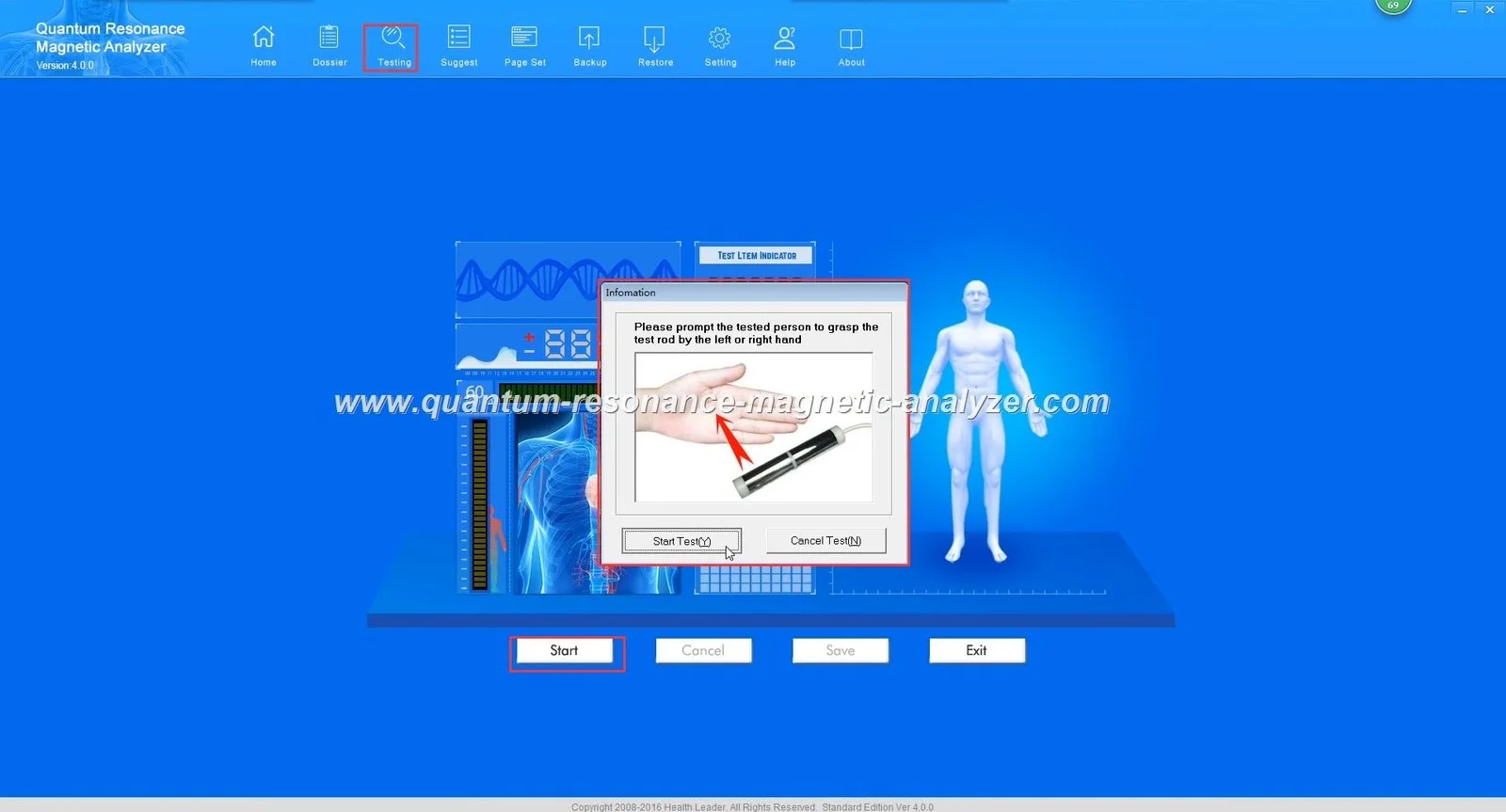
Install the Quantum Analyzer Software 2026 from the provided installer or official download link. Follow the on‑screen installer prompts.
When asked, enter the licence key or attach the encryption/dongle supplied with your unit. If the package uses online activation, connect the PC to the internet for this step.
Open the software and set the report language in Preferences / Settings so reports display in the language your customers understand.
Connect the MK001 to the PC using the supplied data cable and confirm the software shows the device as connected.
If the software requests driver installation, allow it to install those drivers and restart the PC if prompted.
Licence errors are commonly caused by incorrect keys, blocked internet access or expired activation tokens — see the troubleshooting section below for quick fixes.
Power, surge protection and simple electrical safety for Nigerian venues
Nigeria has variable mains reliability in many areas. We recommend:
Use a small UPS for indoor demos to survive short outages and prevent abrupt shutdowns.
Use a surge protector between the wall socket and device/laptop — this protects the electronics from spikes.
For outdoor market stalls, use an inverter or generator only as a last resort and keep the equipment sheltered from rain and dust.
MAIKONG does not provide specific country wiring instructions in our product materials; for any permanent installation or hard‑wiring consult a qualified local electrician to confirm sockets, earthing and safe routing.
First test scan: running a demo scan and what to show prospects
Run one complete test scan before customer demos so you can narrate what the software displays. A practical demo flow that fits social‑commerce settings is:
Greeting and consent: tell the prospect what the session will show and that this is a wellness screening, not a medical diagnosis.
Quick setup: have the prospect sit comfortably, enter a name/age/sex into the software and attach any supplied sensor or follow the device prompts.
Start the demo scan and narrate each step — people respond better when you explain what the screen numbers mean in plain terms.
When the report appears, show the summary page and highlight 2–3 approachable items (for example general wellness categories or the top suggested areas to discuss).
Offer a printed or emailed summary if the software supports it — this helps customers remember the visit and share it later.
MAIKONG reports are described as delivering a 41‑item health report (company‑declared); for sales, focus on explaining the report as a screening snapshot useful for wellness conversations, not a medical diagnosis.
What the MK001 reports can and cannot do — buyer‑facing limits
Be direct with prospects so expectations are correct:
Can do: produce a multi‑item screening report and visual summaries using the Quantum Analyzer Software 2026; useful as a wellness conversation starter and for tracking changes over repeat scans (company‑declared features).
Cannot do: provide a clinical diagnosis, prescribe treatment, or replace a professional medical examination. The device is a screening tool and should be used for health management and education only.
Certifications: MAIKONG lists ISO 9001, CE and ISO 13485 as declared certifications for its operations (company‑declared). These are manufacturer assertions; if you require regulatory proof for a specific use, ask us for documentary copies before purchase.
Basic daily maintenance and cleaning
Keep demo units presentable. Simple steps that keep the device looking professional include:
Wipe surfaces with a soft, lint‑free cloth. For non‑porous surfaces, a 70% isopropyl alcohol wipe is commonly acceptable — avoid soaking ports or labels.
Cover the unit during transport and avoid exposing it to dust and direct sunlight for long periods.
Store cables coiled and use cable ties so your demo area looks neat for photos and live streams.
Software fails to start: reinstall the installer as administrator, check Windows updates, and ensure the licence service is reachable (internet on).
PC compatibility problems: if the device does not connect, try another USB port or a different PC with a supported Windows version; check driver prompts during installation.
Licence errors: confirm the licence key/dongle matches the unit serial number and that the PC can reach the activation server; try a temporary mobile hotspot if venue Wi‑Fi blocks activation.
Power interruptions: use a UPS to prevent corruption; if the device shuts down mid‑scan restart the software and run a new test scan.
Preparing a short demonstration pitch for social‑commerce sales
Keep demos short and transferable into a social post. Use this 90‑second pitch outline:
Hook (15s): “Quick wellness snapshot in under five minutes — we’ll show you areas you can track.”
Show (45s): Run or replay the demo scan, highlighting the report summary and one supportive visual (for example, general wellness score).
Close (30s): Offer the customer a printed/emailed summary, mention a follow‑up scan for tracking, and note that this is a wellness screening — recommend professional medical consultation for health issues.
Compliance points to mention during every demo: the MK001 provides screening information only; it does not diagnose or prescribe, and customers should consult qualified medical professionals for clinical concerns.
Evidence and sources used
Material in this article draws on company‑reported product details for the MK001 and Quantum Analyzer Software 2026 (data‑fact-id=”118″) and the MAIKONG product pages for software and cleaning guidance. Images and software report screenshots are available from our product media library (asset id 22231 available at the product software page).
Risks and limitations you should accept before demos
Country electrical and fixed‑installation guidance is not supplied in the product materials; arranging permanent wiring requires a local electrician.
Company claims about report items, accuracy and certifications are vendor‑declared. If you need documentation for regulatory or clinical uses, request those documents from our sales team.
The device is a wellness screening tool — it is not a substitute for medical diagnosis or treatment. Always state this to customers during demos.
Localised disclaimer: Information in this guide is for health management and educational reference only. The MK001 is a screening tool and does not replace professional medical diagnosis, treatment or advice. Do not use the device to make clinical decisions; consult a qualified healthcare professional for medical concerns.
This content is provided for learning, information sharing and professional communication only. It is not medical advice and is not a basis for treatment or diagnosis. Confirm suitability, operation and purchasing requirements against the product manual, local regulations and qualified professional guidance.
If you want a demo kit configured for market stalls, home visits or livestream sales, contact our sales team and tell us your typical demo location (home, market, salon), the number of demo units you need and whether you want printed reports or email integration. Pricing and customised configurations are available on inquiry.